
For studios · Team & Rooms
Instructor availability
Set when each instructor can teach and add their time off, so classes land at the right times.
Tell Atelier Studio when each instructor is free to teach. It uses this when it fills in recurring classes, so nothing gets scheduled when someone isn’t around.
Open Team & Rooms → Availability.
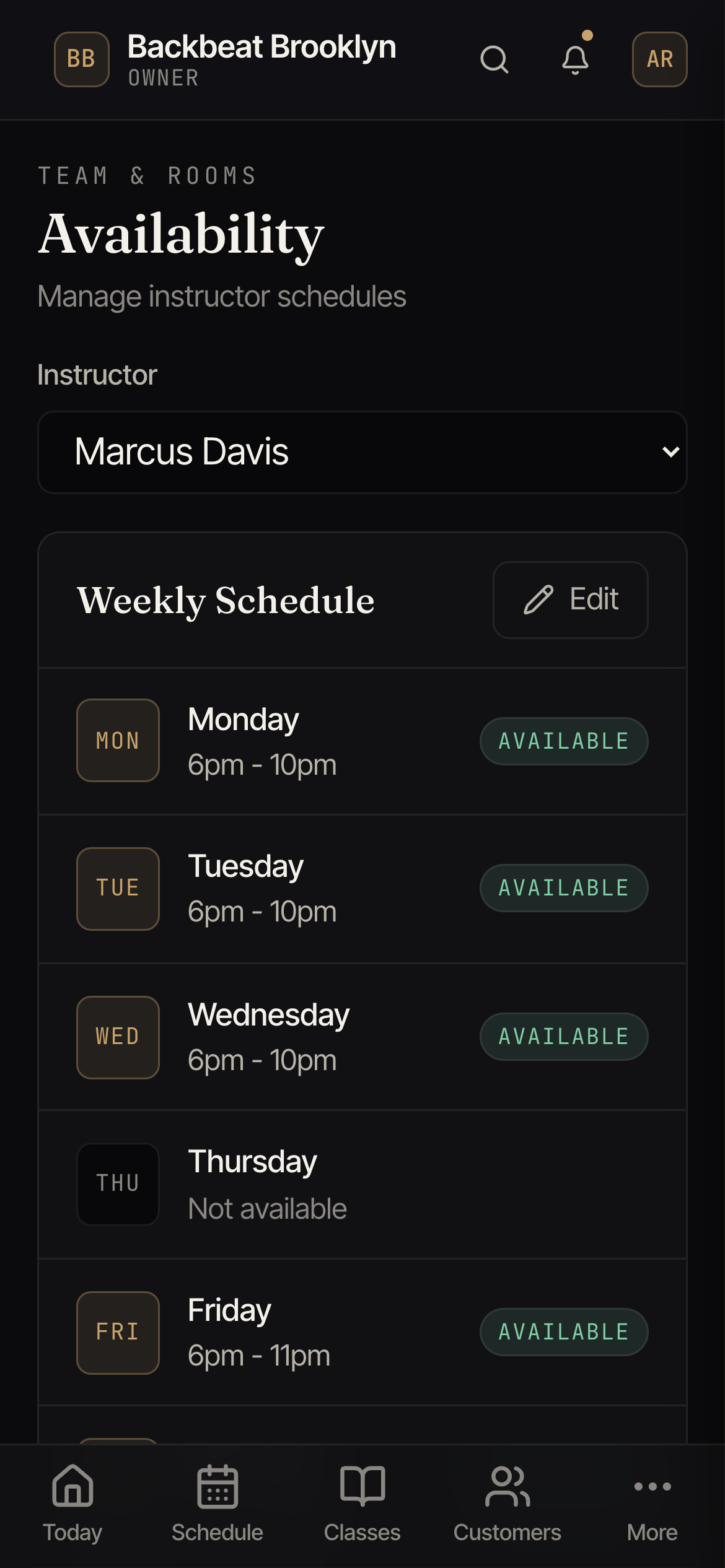
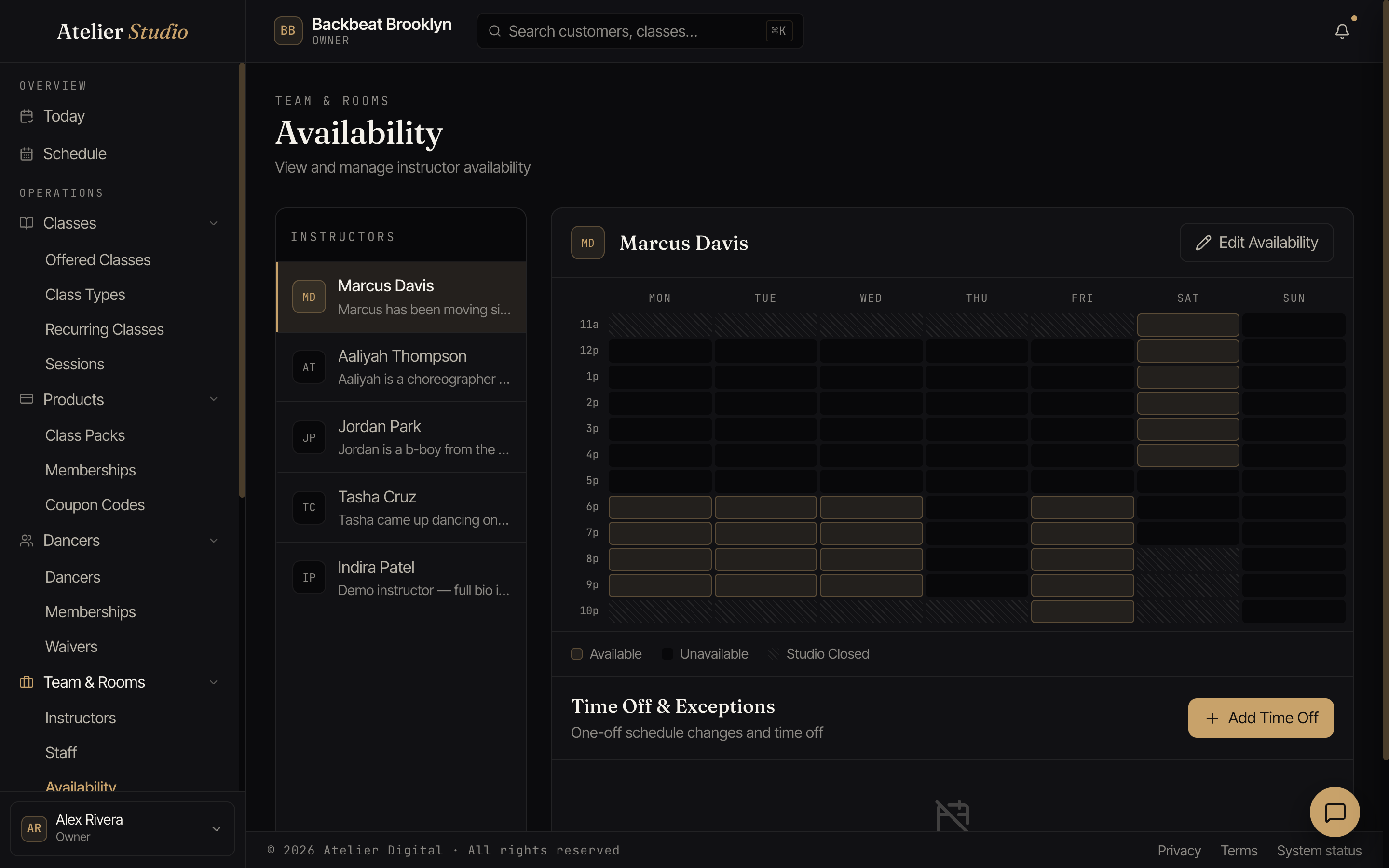
Setting weekly hours
Pick an instructor on the left, then select Edit Availability and shade the hours they’re free across the week. The colors show what’s available, unavailable, or when the studio is closed.
Time off and one-offs
Need to block a holiday or a single day? Use Add Time Off under Time Off & Exceptions for one-off changes that sit on top of their normal week.