
For studios · Payments & Payouts
Disputed payments
What to do when a customer asks their bank to take a payment back, and what happens to your money and your Atelier fee.
Sometimes a customer does not ask you for a refund. Instead, they ask their own bank to take a payment back. This is a disputed payment. Stripe also calls it a dispute. It does not happen often, but you must answer quickly when it does.
How you find out
Atelier Studio sends a Disputed payment notice. It tells you:
- the name of the customer and the amount;
- the date before which you must send your answer;
- what to do next.
The studio owner always gets this notice, and the owner cannot turn it off. Staff who manage studio billing get it too. Staff who manage customer billing can choose to get it in their notification settings. Everyone who gets the notice can see the amount.
Sometimes a bank sends a question before it opens a full dispute. The notice then says Bank question about a payment. Answer it in the same way. If you do not answer, the bank can return the money to the customer.
What to do
- Open the notice. Note the date. You must send your answer before that date. Start early. Do not wait for the last day.
- Collect proof that the customer got what they paid for. Good proof is:
- the receipt for the payment;
- the sign-in or attendance record for the class or event;
- the booking, and your cancellation and refund policy;
- messages with the customer;
- for a membership or class pack, the dates when it was used.
- Send your answer in Stripe. Open your Stripe dashboard (the bottom of the Payouts tab has a link), find the disputed payment, add your proof, and send it. You can send your answer only one time, so check everything before you send.
- If you cannot send your answer in Stripe, contact Atelier Digital support before the date. Send the proof to support, and support sends it to Stripe for you.
What happens to the money
While the bank decides, the disputed amount is taken from your Stripe balance. Stripe can also have its own fee for a dispute. Check your Stripe dashboard for the fees.
- You win. The bank agrees with you. The money comes back to your Stripe balance.
- You lose. The bank agrees with the customer. The money stays with the customer.
- The Atelier fee. When you lose a dispute, Atelier Digital returns its fee for that payment to you automatically. You do not need to ask. Stripe does not do this on its own, so Atelier Digital does it for you.
A disputed payment does not cancel the booking, and it does not change attendance by itself. The studio decides what to do about the booking.
Where you see a disputed payment
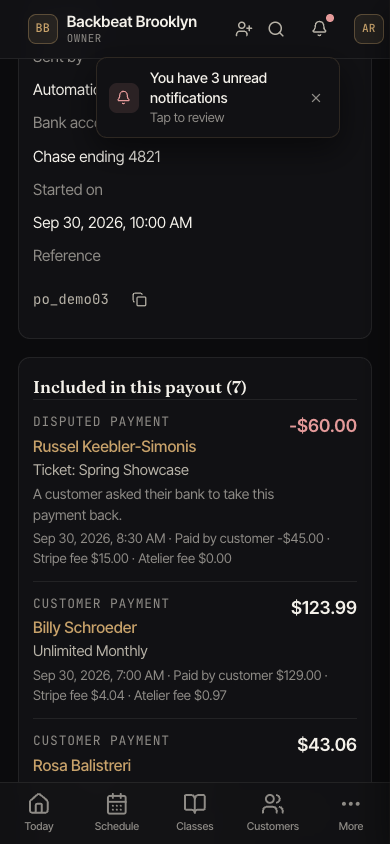
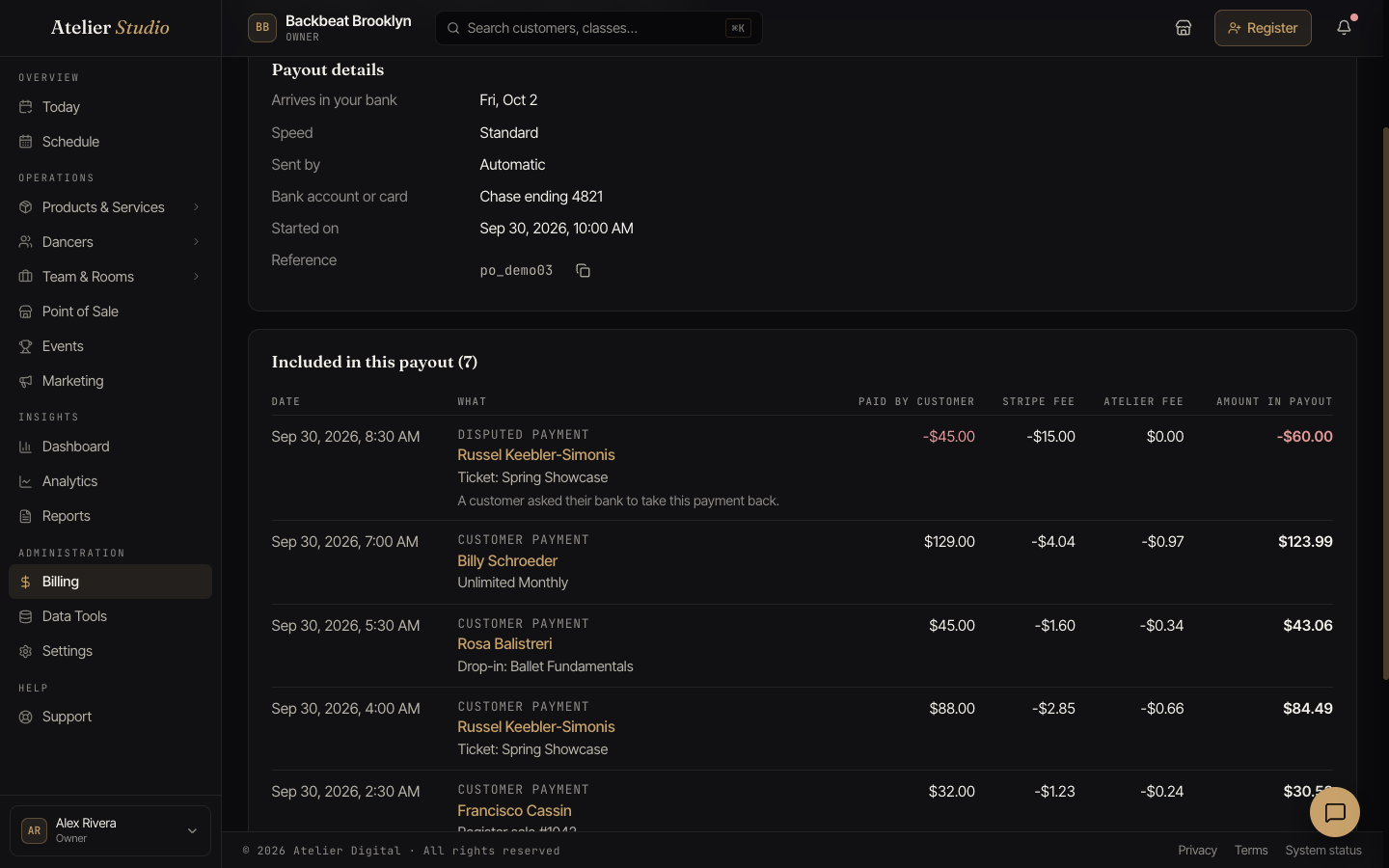
- In the Payouts tab, open the payout that contains the payment. The row says Disputed payment, with a note that the customer asked their bank to take the payment back.
- In the Payouts report, the amount is in the Other changes column.
If you try to refund a disputed payment
You cannot refund a payment that is disputed. Atelier Studio tells you: “You cannot refund this payment. The customer asked their bank to return it.” Stripe does not allow a refund until the bank makes its decision. This is the same when you cancel a membership, return a sale, or refund a booking.
If a customer cancels their own booking and the payment is disputed, they see a short message. It says the bank is reviewing the payment, and that they should contact the studio. Please contact them and explain what is happening.