
For studios · Classes
Your classes
Set up the classes you teach (name, style, length, capacity, and price) so you can put them on the calendar.
A class is a template for something you teach: its name, style, how long it runs, how many people fit, and what it costs. Set it up once, then add it to your calendar whenever you teach it.
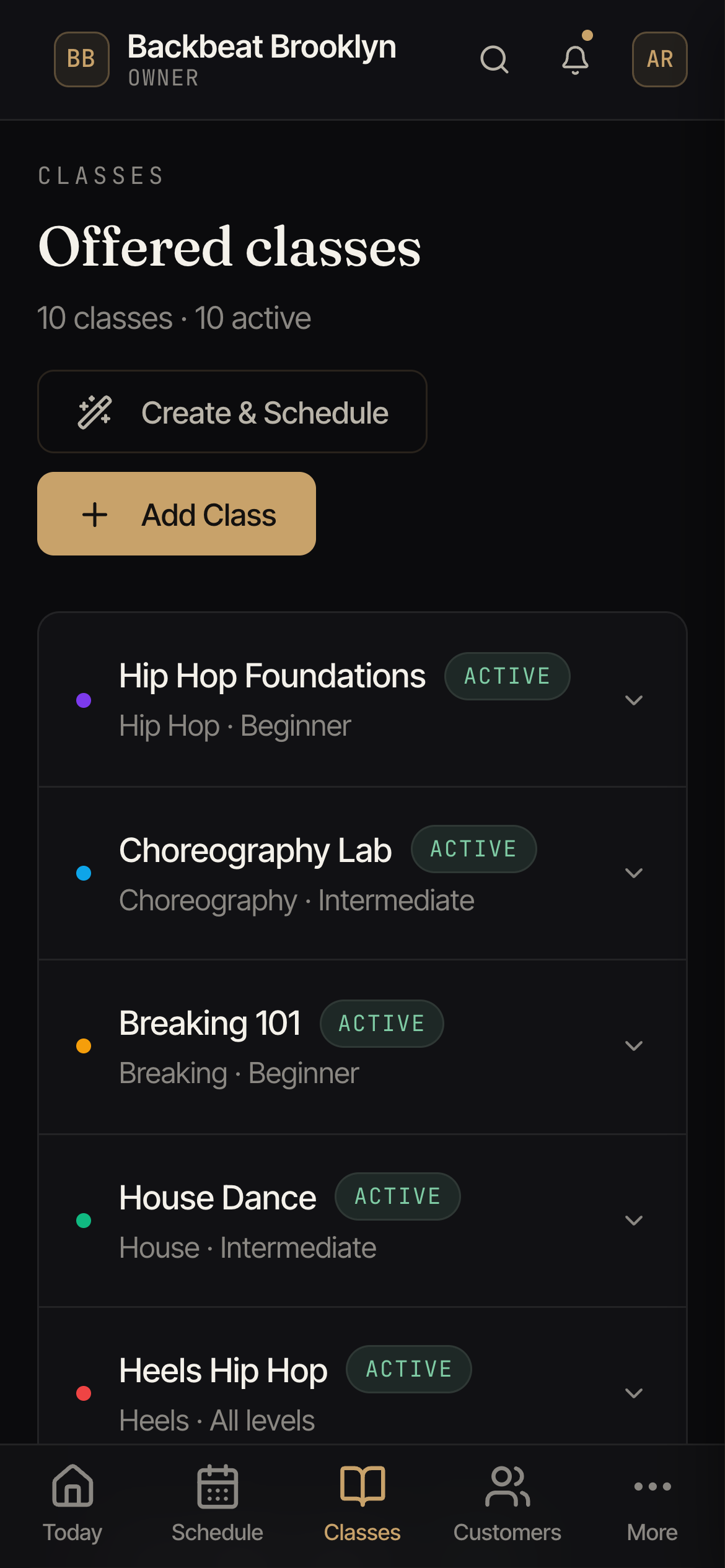
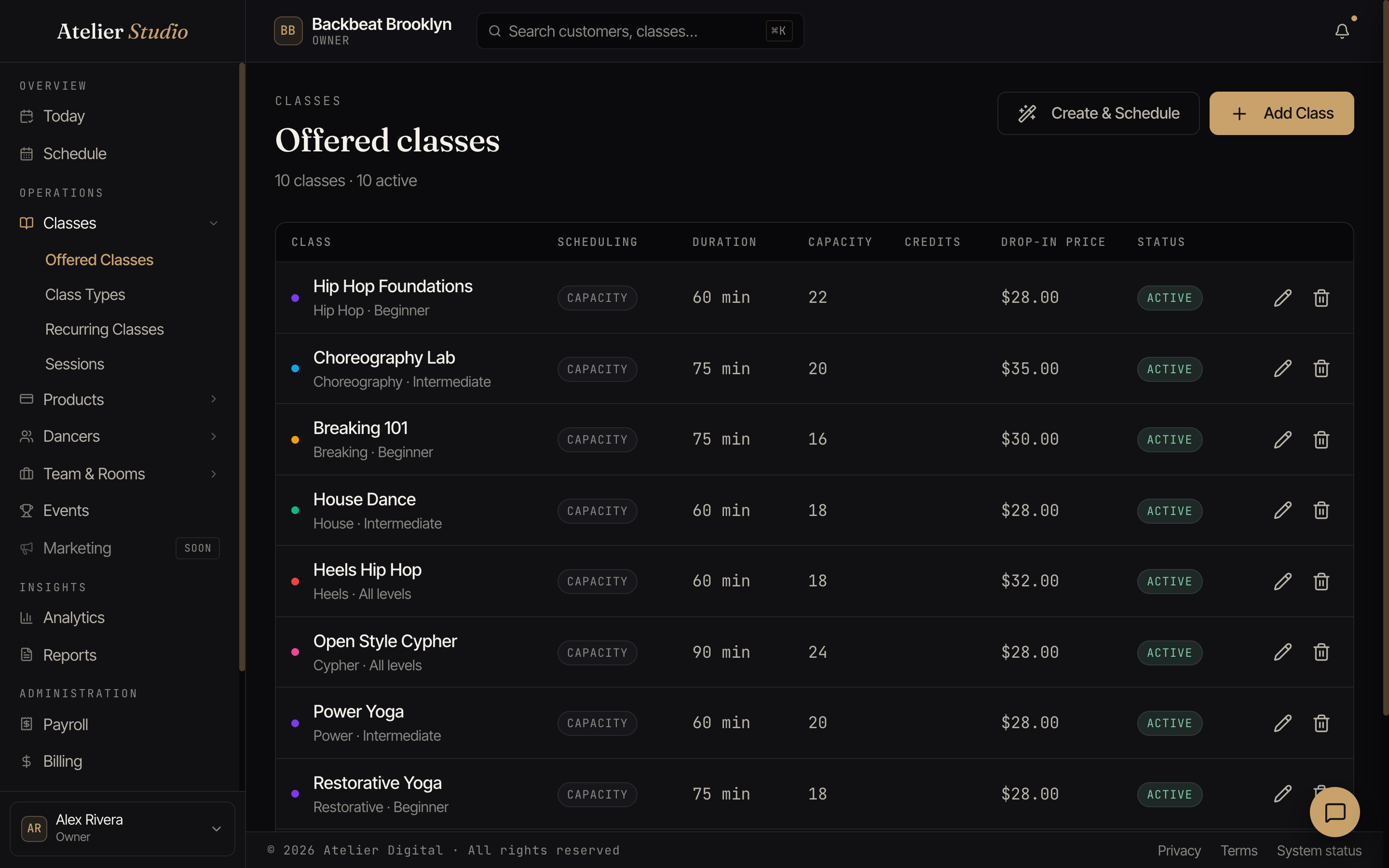
Open Classes → Offered Classes to see everything you offer.
Reading the list
Each class shows the essentials at a glance: its style and level, how long it runs (duration), how many people fit (capacity), how many credits a booking uses, the drop-in price, and whether it’s active.
Adding a class
You have two ways to create one:
- Add Class: set up the class’s details now and schedule it later.
- Create & Schedule: set up the class and put it on the calendar in one go.
You’ll give it a name, pick a type and level, and set the length, capacity, and price.
Gating a class by skill level
If you use skill levels, a class can require students to be at the right level before they book. On the class, set the Skill-level gate:
- Off: anyone can book (the default).
- Warn: students below the class’s level get a friendly heads-up but can still book.
- Block: only students placed at the class’s level (or higher) can book. A student who’s under-level, or not placed yet, is stopped and pointed to your team.
The class’s own level is the level it requires, so set a level on the class for the gate to have any effect. Your team’s bookings are never gated; this only applies to clients booking themselves. You can also excuse an individual student from their profile.
Registration fee for one class
A class follows its class type when it comes to your registration fee. If one class should be different, change its Registration fee setting to Charge the fee or Don’t charge the fee. Same as class type shows what the type does today. Booking a class that doesn’t charge never adds the fee; the student pays it at their next booking that does. Only the owner and staff who manage customer billing can change this.
Party pricing (extra spots cost more)
Some classes are really a private for a small group, like a birthday party or a flying-trapeze turn, where you want to include a few people in the price and charge more per person beyond that. Set Party pricing on the class:
- Included spots: how many people the drop-in price already covers (1 to 20).
- Price per extra spot: what each additional person costs on top of that.
Leave both blank and the class prices the way it always has. You need a drop-in price set on the class before you can turn this on.
For example, a flying-trapeze private priced at $150 with 3 included spots and a $35 extra-spot price: a party of 1, 2, or 3 still pays $150, a party of 4 pays $185, and a party of 5 pays $220.
Once a class has party pricing, the Charge per spot / One price for the group choice (see Booking a party of more than one) no longer appears when booking it, because the party-pricing rule is doing that job. If you need to charge something different for one booking, adjust the price when you take payment instead.
Editing or clearing party pricing only affects bookings made after you save. A party already booked keeps the price and included-spot count it was booked with.
Keeping Encore away from a class
If you use Encore to fill empty seats, each class has an Encore seat-filling setting:
- Inherit from class type: follow the type’s own switch (the default).
- Eligible for seat-fill invites: Encore may invite past attendees, even if the type is switched off.
- Exempt (never invite): Encore leaves this class alone. Right for open gym, practice time, or a one-off nobody should be nudged to “come fill a seat” in.
Editing or removing
Use the pencil to edit a class or the trash icon to remove one. Editing a class updates its details going forward; classes already on your calendar keep their own time and capacity.