
For studios · Common Tasks
Taking payment in person
Charge a card at the desk when you register someone, record a cash or in-person payment, or send a link to pay.
Most clients pay when they book online, but sometimes you take the money in person (cash, a card reader, a banking app) or someone needs to settle up later. You’ve got a few simple ways to handle it.
Recording an in-person payment
When you check someone in or add them to a class, turn on Record Payment and Atelier Studio notes that they paid.
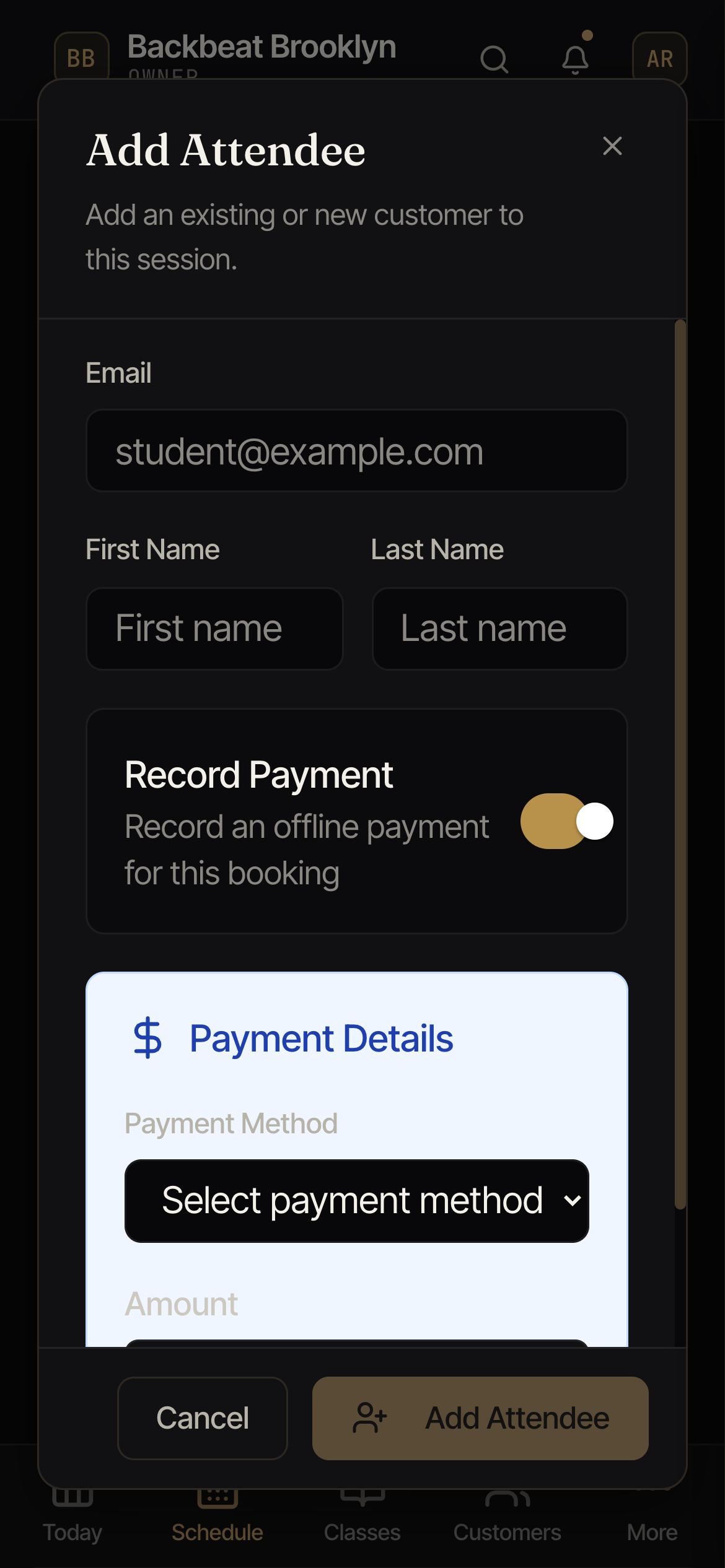
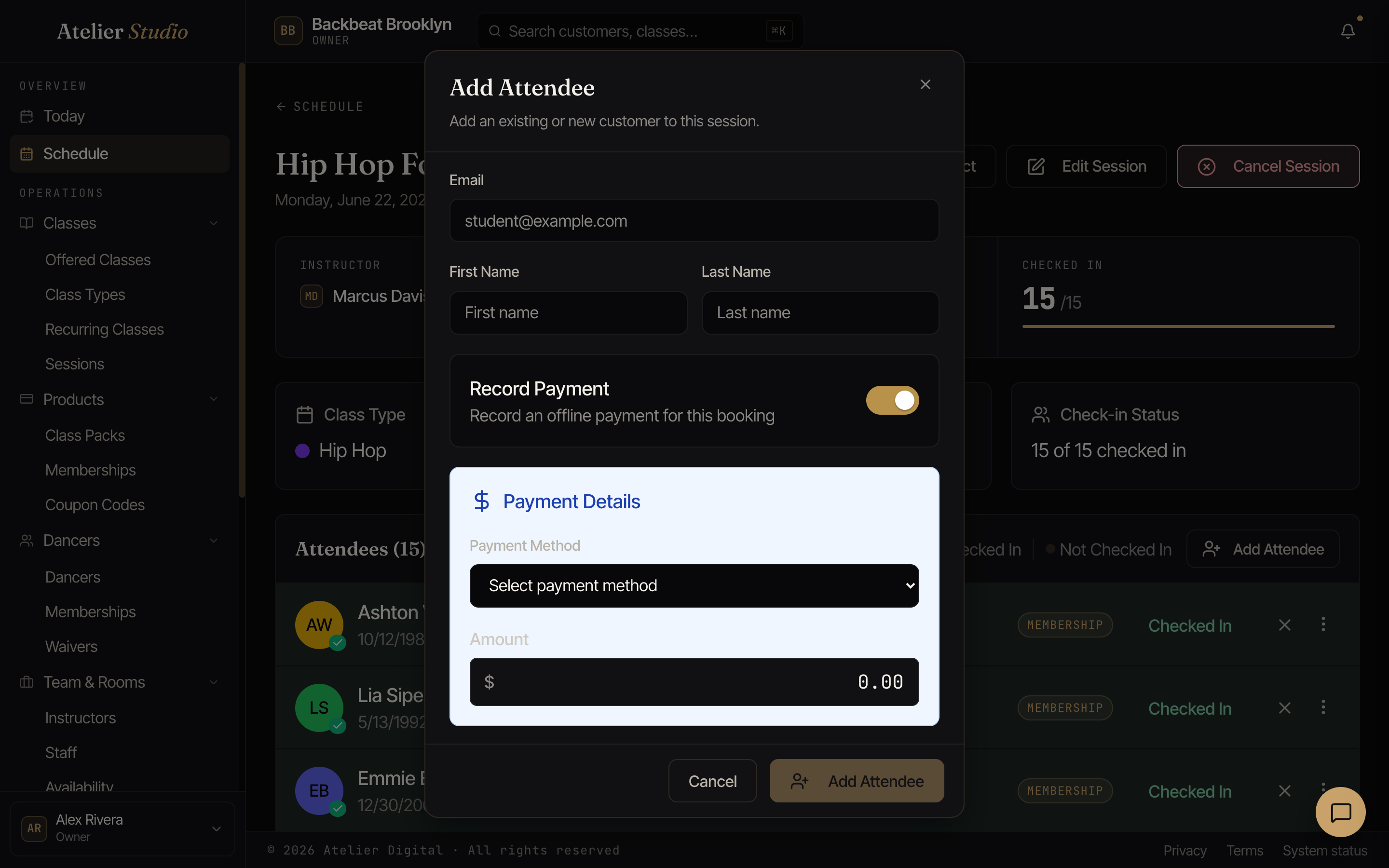
Flip on Record Payment, choose how they paid (Cash, Check, Venmo, Cash App, Zelle, or Other), and enter the amount. That’s it.
Charging a card at the desk
Want to actually take a card payment yourself? When you sign someone up (enrolling a walk-in in a class, selling a class pack, or starting a membership), you can charge their card on the spot. From a customer’s profile select Register / Enroll, or use the Register button for a brand-new walk-in. The window asks one question at a time (see Registering and enrolling someone). At the payment step choose Charge a card:
- A card on file: if the customer already has a saved card, choose it and Atelier Studio charges it when you finish.
- A new card: no card saved yet? Enter one there at the desk. It is charged when you finish and kept on file for next time.
The same step also offers Free (sign them up at no charge) and They paid another way (record cash or another in-person method, as above). However they are paying, you can capture it in one place.
Seeing the full total before you charge
When you’re charging a card right now for a membership or class pack, the last step (Check) shows a breakdown before you click Complete Registration: the price, any registration fee you charge new students (if you have one turned on and this student owes it), any sales tax (if you collect it and the item is taxable), and the total that’s about to be charged. Only the lines that apply to this sale show up, so with no fee or tax configured, there’s no fee or tax line.
Charging less than the full price
Sometimes you want to charge someone less than the listed price for this one purchase: a customer joining a membership part-way through the month, a friends-and-family discount, or just staff choice. When you are charging a card for a membership, class pack, or class, go to the Price step and select Adjust price next to Charge today.
Type in what you want to charge today, and pick a reason so it is on record: Joined part-way through the period, Discount or promotion, To make up for a problem, or Other (Other needs a short note). The last step shows the regular price crossed out next to what is actually charged, so you and the customer both see the difference before you click Complete Registration. You need billing access to change a price.
Backdating a membership
If a membership really started earlier (for example, on the 1st of this month), choose An earlier date on the billing start step. The person is charged today for that period, and the next payment is one billing period after the start date. You can go back up to one billing period. For a membership paid another way (cash or check), use Membership started on on the Price step.
You can also record an in-person payment for less than the usual amount. Just enter the amount you actually collected and, if you like, note why. The customer’s payment history on their profile shows both the regular price and what they were actually charged for any adjusted payment, so there’s always a clear record of who adjusted a price, and why.
Notify customer
Every one of these last-step screens (signing someone up, charging a card, recording a payment, giving something for free, or applying a pack/membership to something they still owe on) has a Notify customer switch, on by default. Leave it on and they get the usual confirmation email or text; turn it off when they’re right there with you and don’t need it too. It only affects the message for this action. Nothing else about the charge, receipt, or their account changes either way, and it resets to on the next time you open the screen.
Not charging the registration fee
Which classes and plans charge the fee at all is set in Registration fee. This section is for one customer at checkout.
If your studio charges a registration fee, it shows up as its own line whenever you charge a card, whether at sign-up or at check-in. Right next to it is a Do not charge this fee link, for the times your regular fee shouldn’t apply, like a one-time visitor trying a class, for example.
Selecting it opens these choices (a one-time fee shows only Just this time and Never):
- Just this time: skip the fee for this charge only. They’ll owe it again the next time they come in, so this is usually the right pick for a genuine one-off visitor.
- Charge it next season (only if your fee is charged every season): do not charge the fee now. The hint under it shows the date the fee starts, for example “Not charged now. The fee starts Jan 1.” From that date they are asked like anyone else. This is the right pick for a new student you want to start in the next season.
- Never: turn the fee off for this person going forward. This is the same switch as the one on their customer profile, so either place changes the same setting.
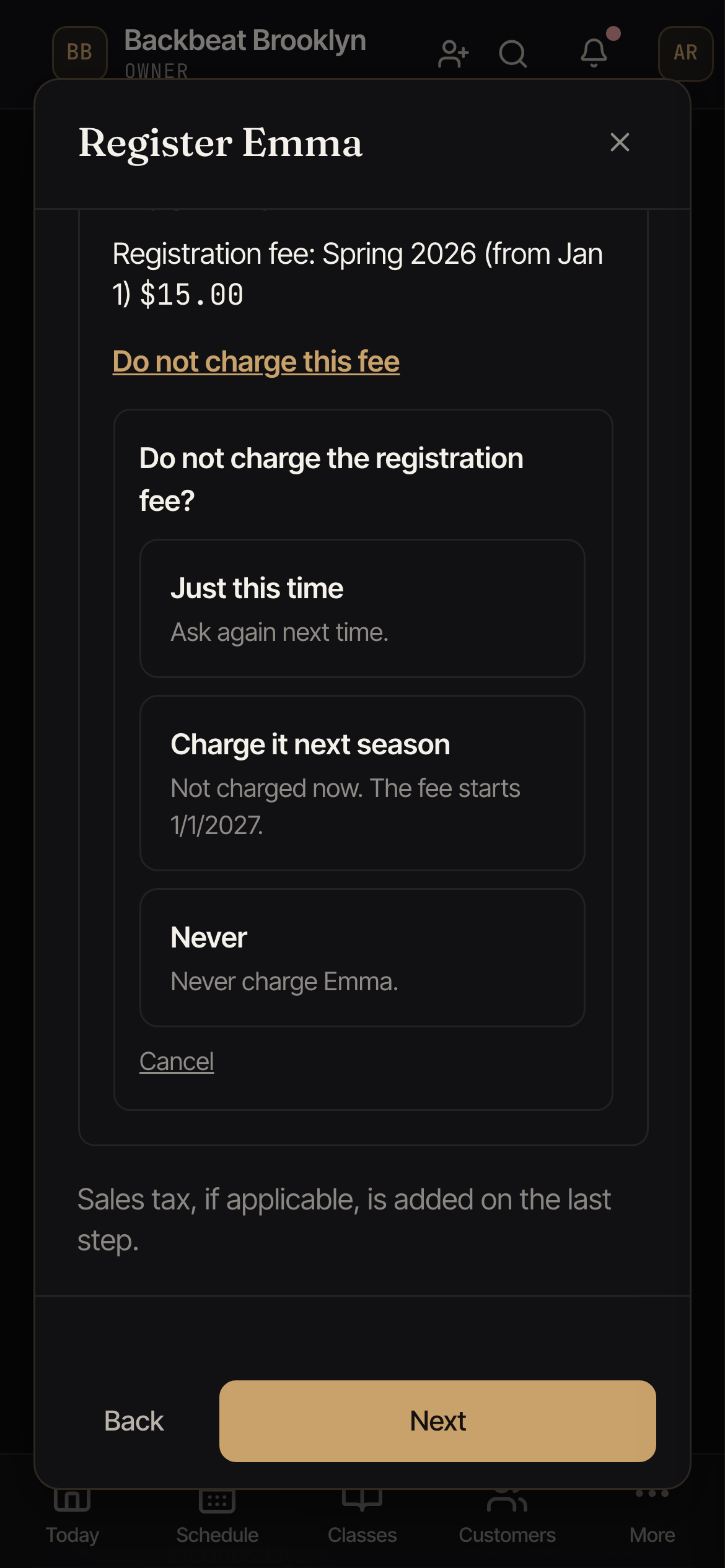
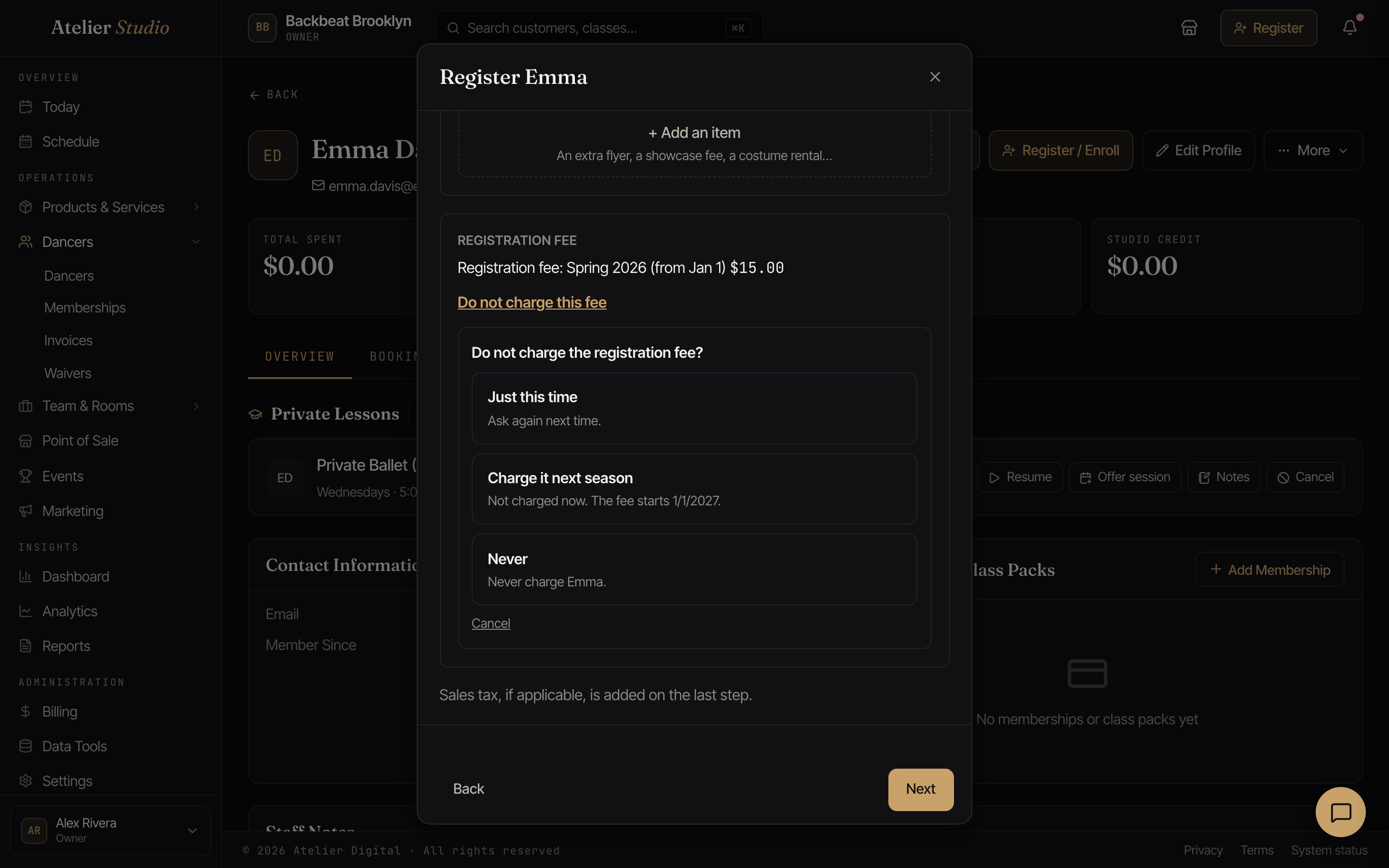
The total updates right away, and Undo puts the fee back before you finish. Like every other choice at checkout, nothing is charged or saved until you actually complete the sign-up or check-in. Backing out or a declined card leaves nothing behind.
Sending a payment link
Rather charge them later? You can send a payment link. Paste a link from your own payment tool (for example, a Square or PayPal link), set the amount, and send it to the client by email (or text, if you’ve turned on text messaging). They pay in their own time, and you add a note so you remember what it was for.