
For studios · Products & Pricing
Memberships
Offer recurring plans so your regulars can book without paying for every class.
A membership is a recurring plan your regulars pay for (monthly or by term) that lets them book classes without paying each time. It’s the easiest way to turn drop-ins into steady income.
Open Products → Memberships.
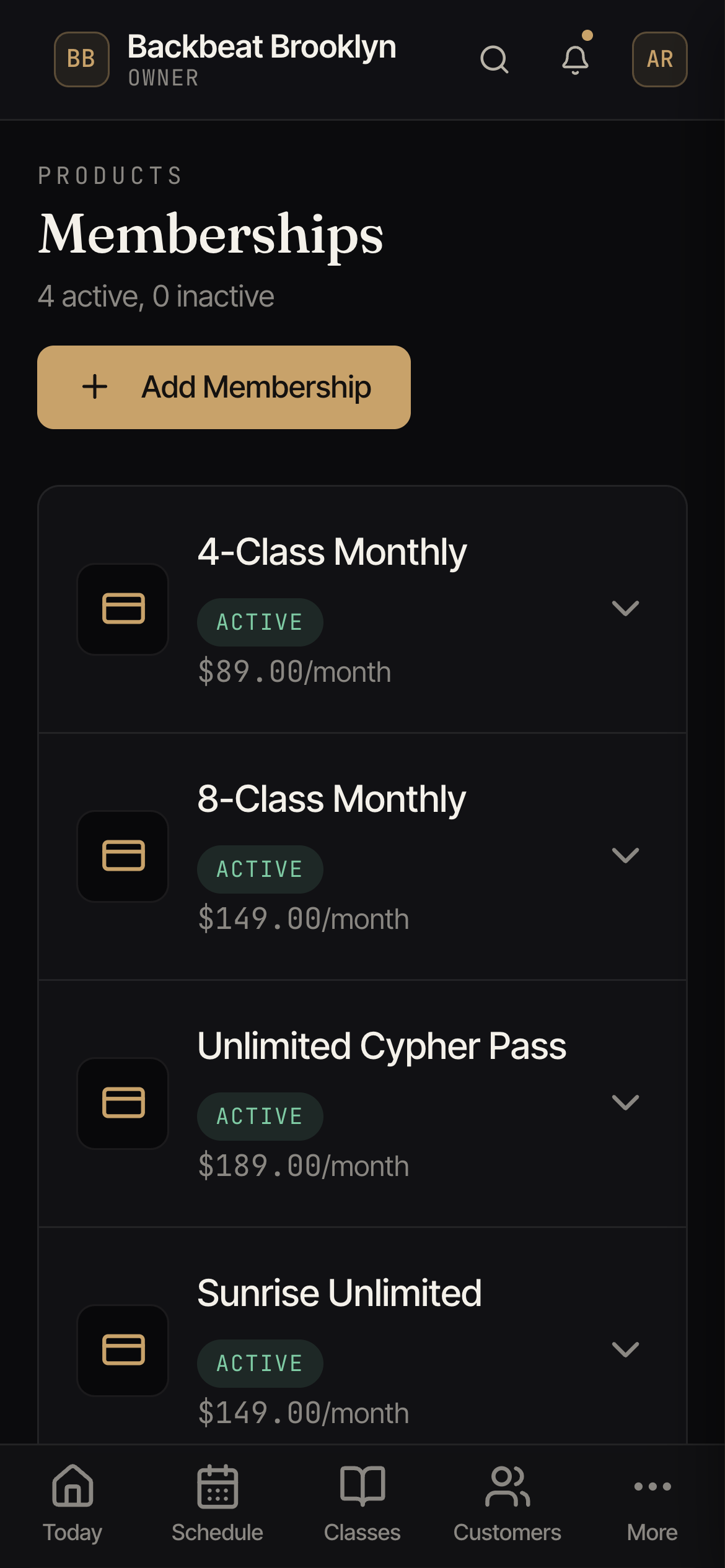
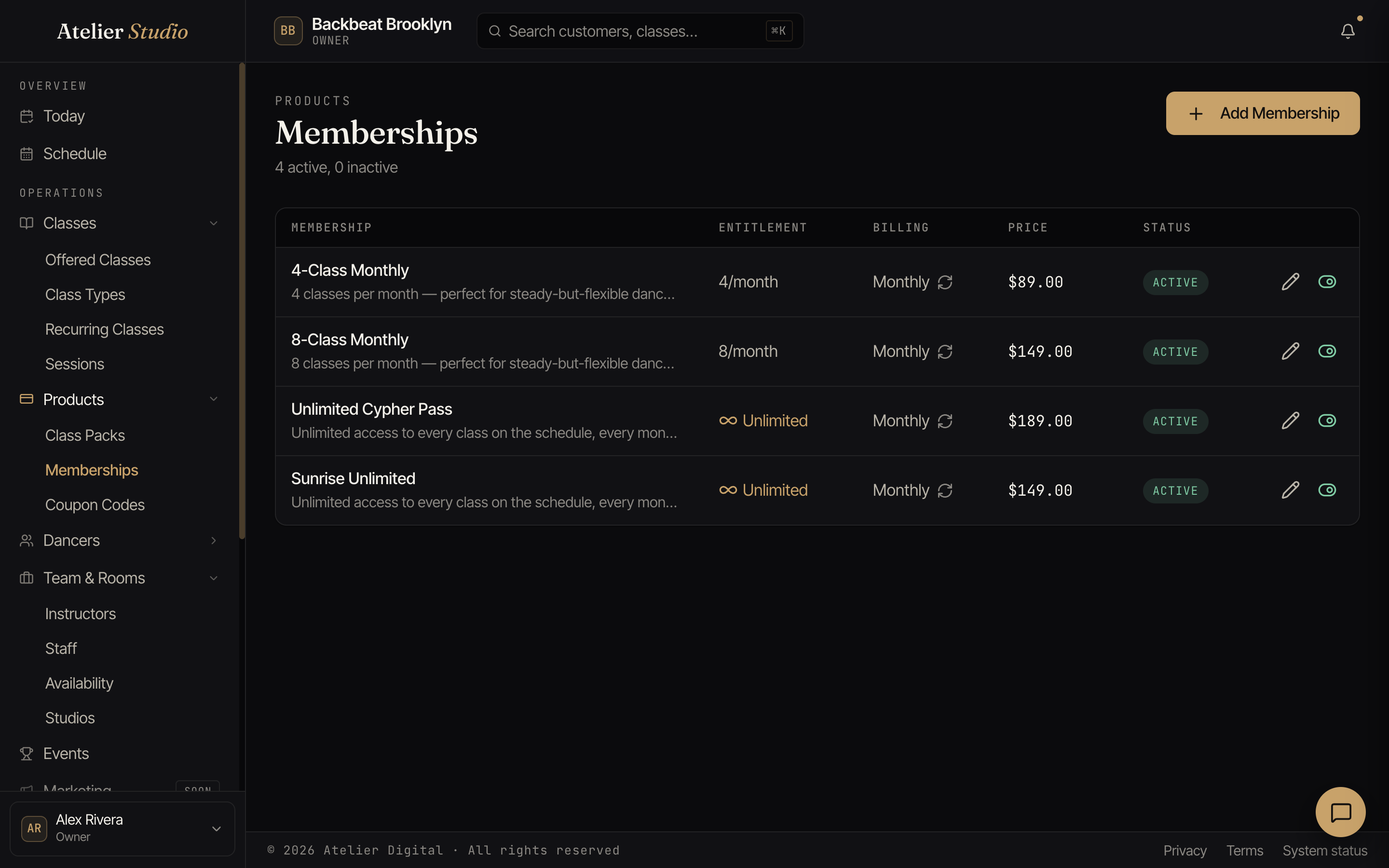
Reading the list
Each plan shows what the member gets (the entitlement), how often they’re billed, and the price:
- A set number per period, for example 4 a month or 8 a month.
- Or Unlimited: every class on the schedule.
Adding a membership
Select Add Membership, give it a name, choose the entitlement (a number per period, or unlimited), set how often it bills, and the price. Save it and it’s ready to sell.
Registration fee
If your studio charges a registration fee, each plan has a Registration fee setting: Automatic (charge it when the plan covers at least one class type that charges it), Always charge, or Never charge. A line under the setting says what buying the plan will do. Renewals follow the same rule.
How members book
When someone has an active membership, their bookings use the plan instead of a card, with no per-class payment. You decide which classes a membership covers when you set up the class.
Enrolling someone yourself
You don’t have to wait for a student to sign up online. You can put them on a plan yourself. On any active membership, select Register and answer the questions one at a time: who it is for (search for a customer or add a new one), how they are paying, when billing starts, and how much they pay. Then you check everything on the last step. Nothing is charged until you click Complete Registration.
- Charge a card: charge a saved card, or add a new one right there. You choose when billing starts: Today, A later date, or An earlier date (for a membership that already started, like the 1st of this month). The last step shows Total today and Total starting the next payment date, including your registration fee and sales tax if either applies.
- They paid another way: record a cash, check, or other payment you took in person.
- Free: no charge; give them the plan for free.
- Send a payment link: email them a link to accept the plan and pay online.
See Registering and enrolling someone for each step, and Taking payment in person for price changes.
Private plans and invitations
A membership doesn’t have to be listed for anyone to buy. Mark a plan Private and it stays off your booking page, and you invite specific students to it instead. That’s handy for a legacy rate, a friends-and-family plan, or a student you’re moving over from another system.
From a private plan, invite a student and Atelier Studio emails them a link to join. They accept, add a card, and their membership starts. You never handle their card details. (This is the same as choosing Customer Not Present when you register someone.)
Choosing when billing starts
On a paid, auto-renewing plan you can set an optional first billing date, both when you register a student with a card and when you send them an invitation:
- Leave it blank and billing starts right away: the card is charged now, or, for an invitation, as soon as the student accepts.
- Pick a future date and nothing is charged then. Atelier Studio saves the card and takes the first payment on the date you chose, then bills on that day from then on.
The date has to be today or later, and it’s only offered on a paid, auto-renewing plan.
Deactivating or deleting a plan
When you’re done selling a plan you have two choices, and they treat the people already on it very differently.
Deactivate: wind it down gently
Edit the plan and turn off Active (“Available for purchase by students”). The plan flips to Inactive and drops off your booking page, so no one new can sign up. But everyone already on it keeps their membership and keeps being billed on their usual schedule until they cancel or it runs out. This is the graceful way to retire a plan: let it empty out on its own.
Delete: remove it now
Select the trash icon on the plan. If no one is currently on it, confirm Delete and it’s gone from your catalog. Either way its past records stay in your reports; deleting only removes the plan from your list.
If the plan still has active members, Atelier Studio stops and asks a second time (“Cancel members and delete plan?”) and tells you how many people are on it. Choosing Cancel members & delete immediately:
- cancels every active membership on that plan, so those members stop being billed from that moment,
- makes any benefits they had left (this month’s remaining classes, for example) unusable,
- frees up any class spots the plan was holding for them, and
- lets each affected member know by email (and by text, if you have text messaging turned on).