
For studios · Events & Workshops
Events and workshops
Run bigger one-off productions (competitions, showcases, recitals, and auditions) with registration and tracks.
Events are for the bigger things you put on: a competition, a showcase, a recital, an audition. They’re more involved than a regular class: people register, there can be several tracks, and there’s money and scheduling to keep on top of. Open Events.
Which plans include Events
Events are available on the Gold plan. They’re not part of the Silver plan. Silver is built for smaller studios, and events are aimed at the bigger, one-off productions larger studios put on.
If you’re on Silver and want to run a competition, showcase, recital, or audition, you can move up to Gold any time from Settings → Billing. Your events tools switch on as soon as the change takes effect.
The events list
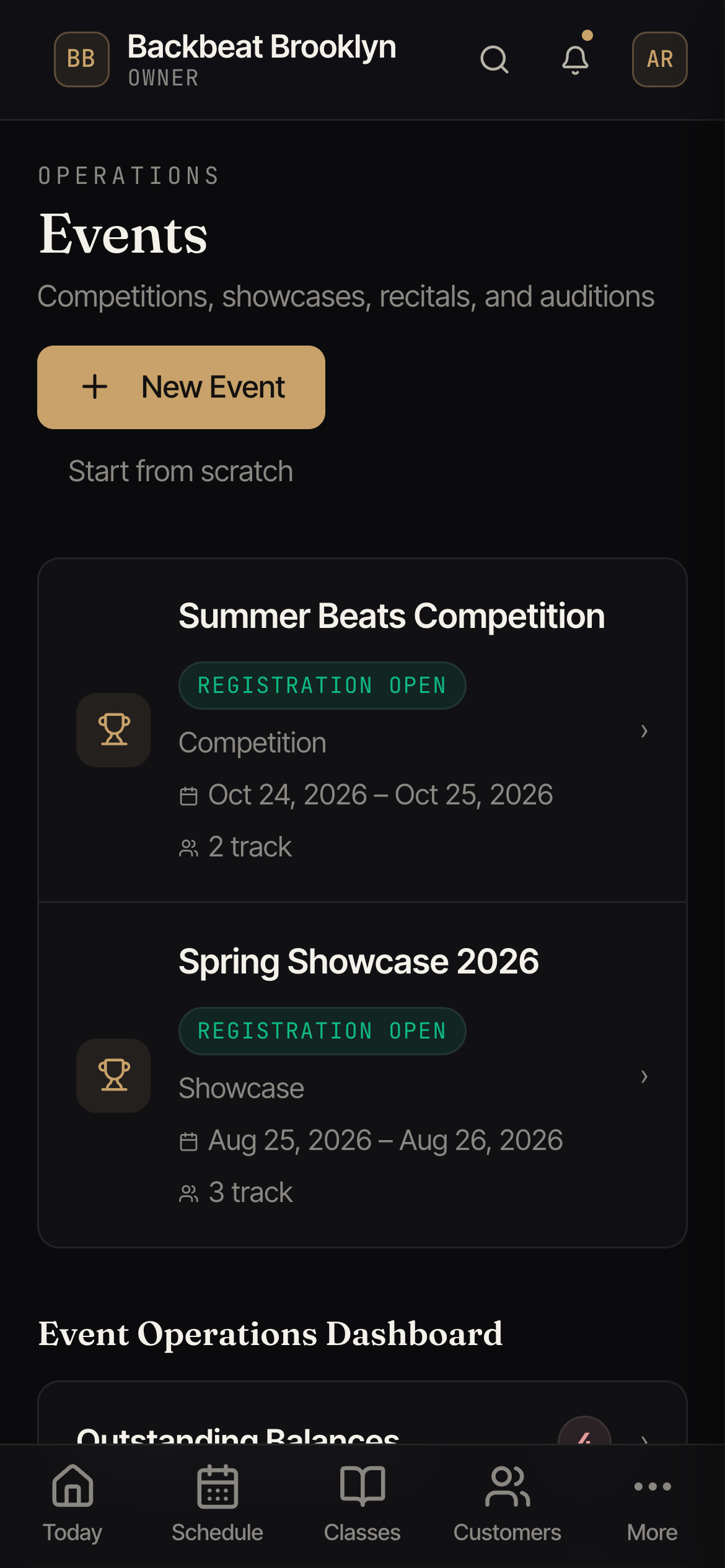
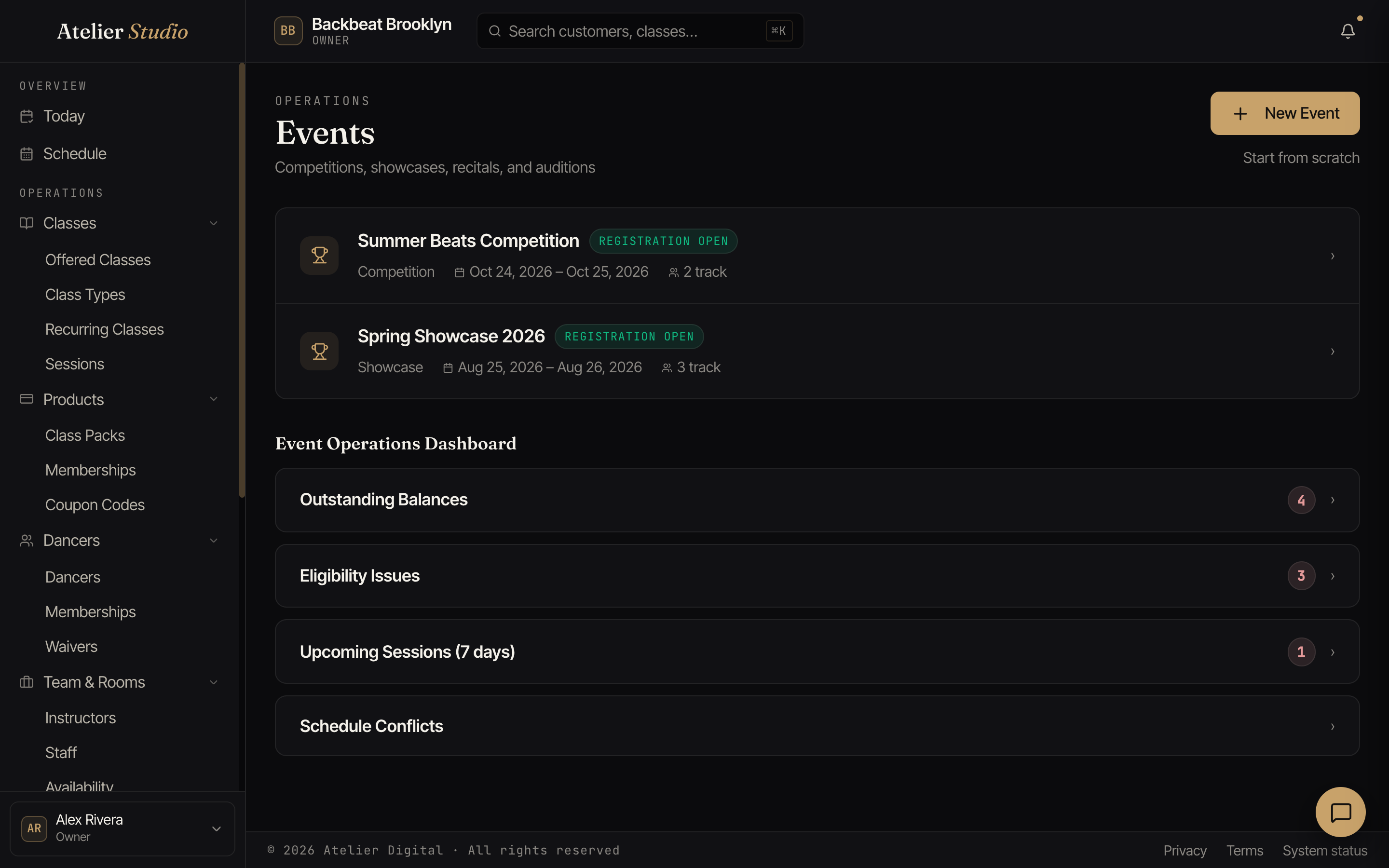
Each event shows its type, dates, and how many tracks it has. Below the list, the operations dashboard flags anything that needs attention (outstanding balances, eligibility issues, sessions coming up, and schedule conflicts) so nothing slips through.
Creating an event
Select New Event and follow the steps: name it, choose the type, set the dates, the capacity, who can see it, and the registration window.
Inside an event
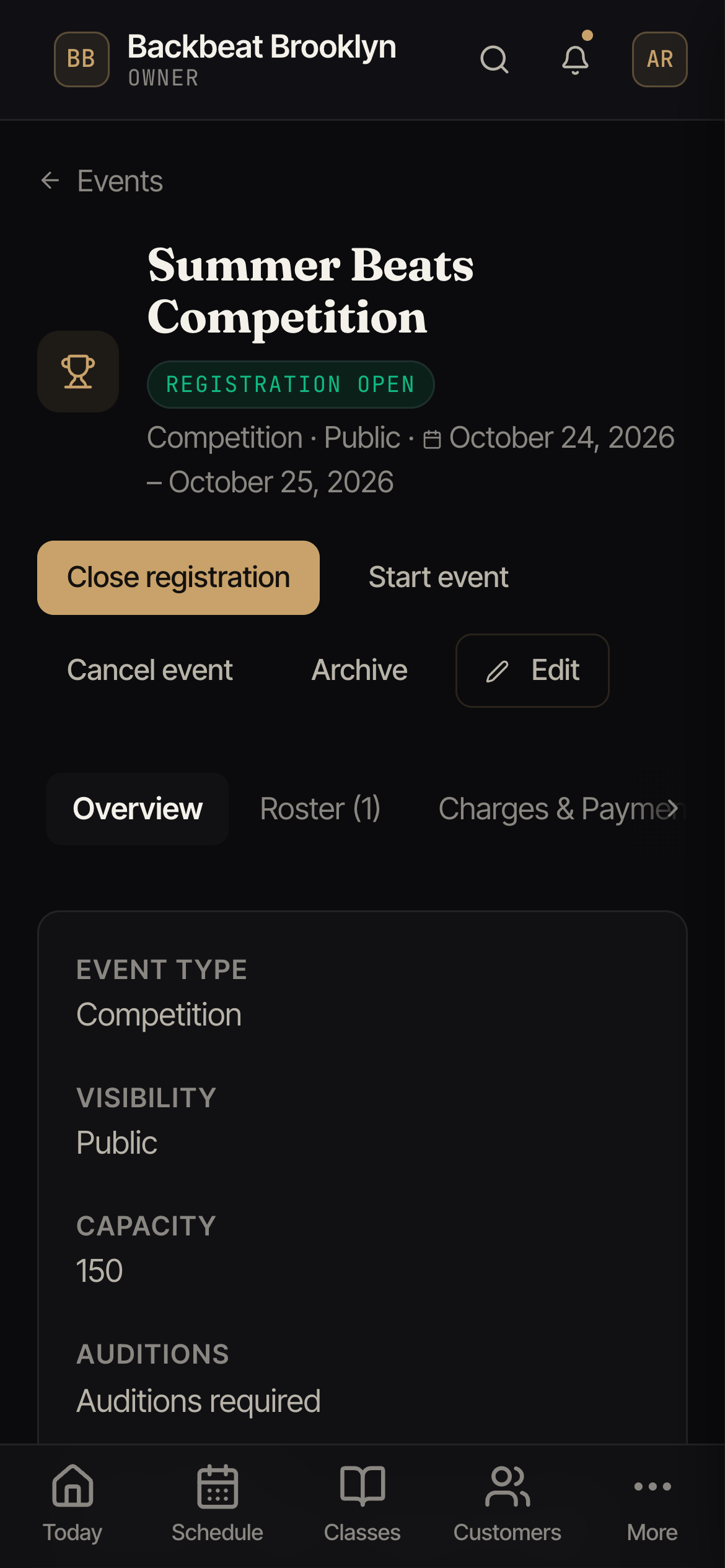
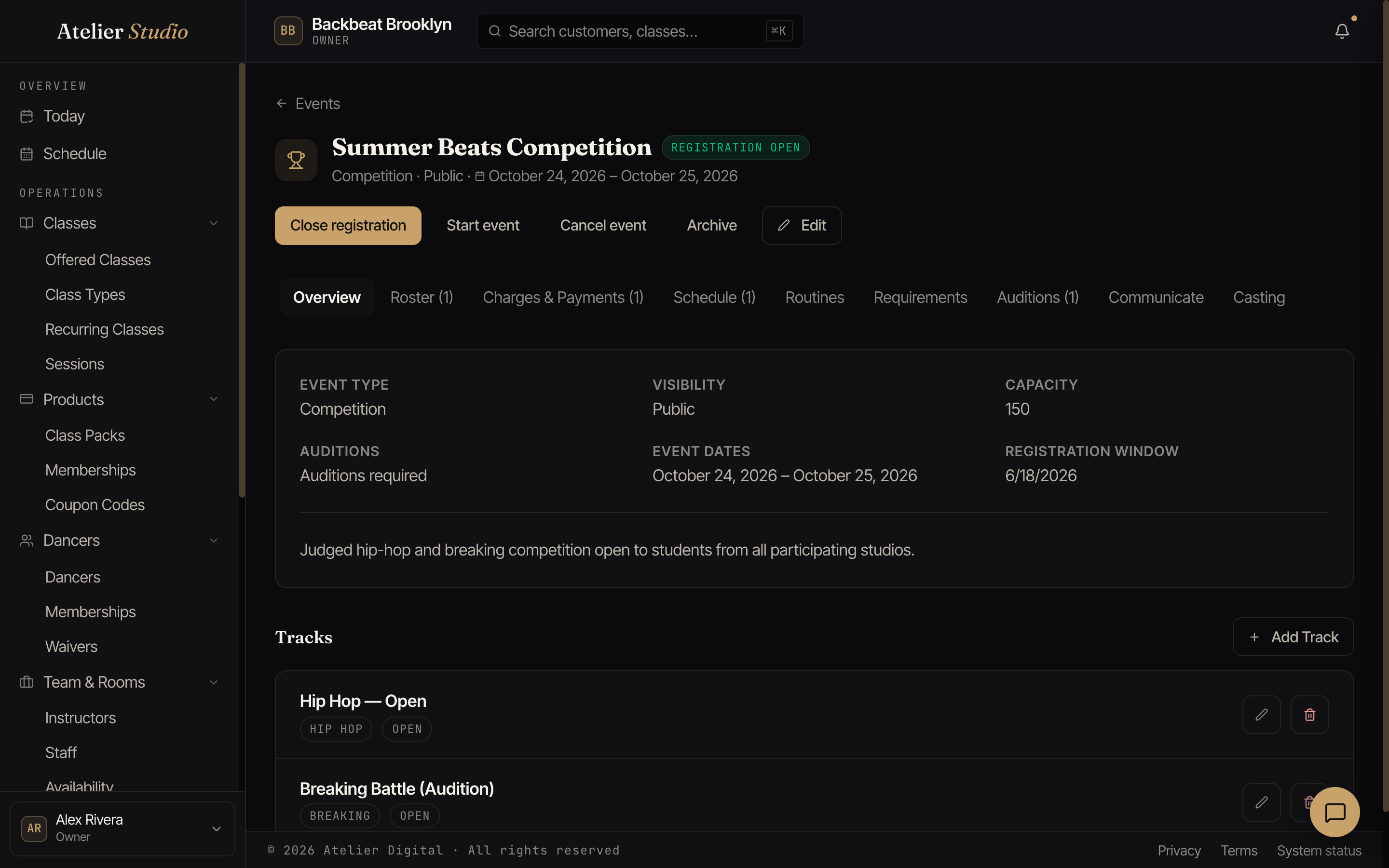
Open an event and you’ll find tabs for everything it involves:
- Tracks: the different parts people enter (for example, Hip Hop: Open or a Breaking Battle). Add as many as you need.
- Roster: everyone registered.
- Charges & payments: entry fees and balances.
- Schedule, Routines, Requirements, Auditions, Casting: the moving parts of running the day.
- Communicate: message everyone taking part.
The buttons up top let you close registration, start the event, or cancel it.