
For studios · Customers
Who has a membership or pass
See every active membership and pass across your customers, and manage them.
Once people start buying memberships and class packs, this screen shows who holds what in one list, so you can keep an eye on renewals and what’s running low.
Open Customers → Memberships.
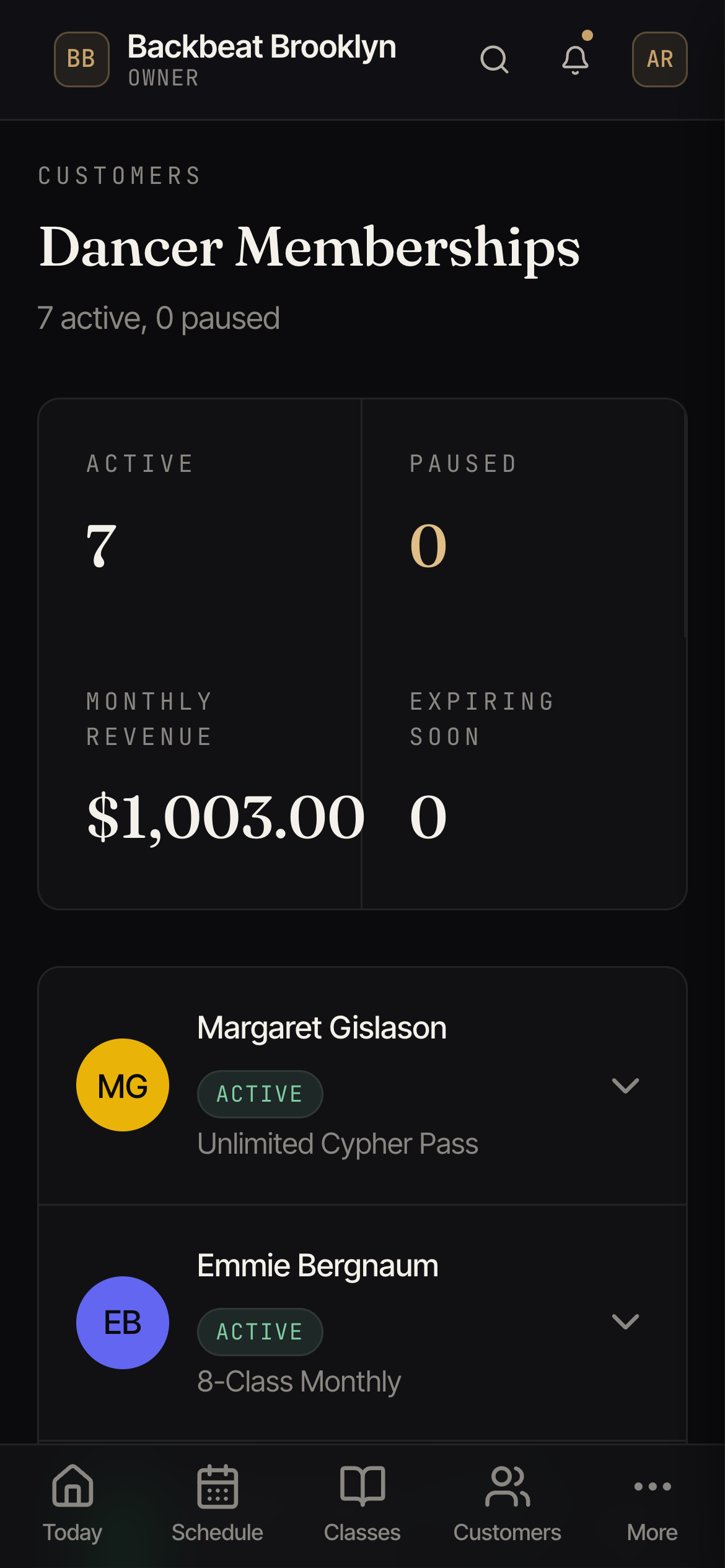
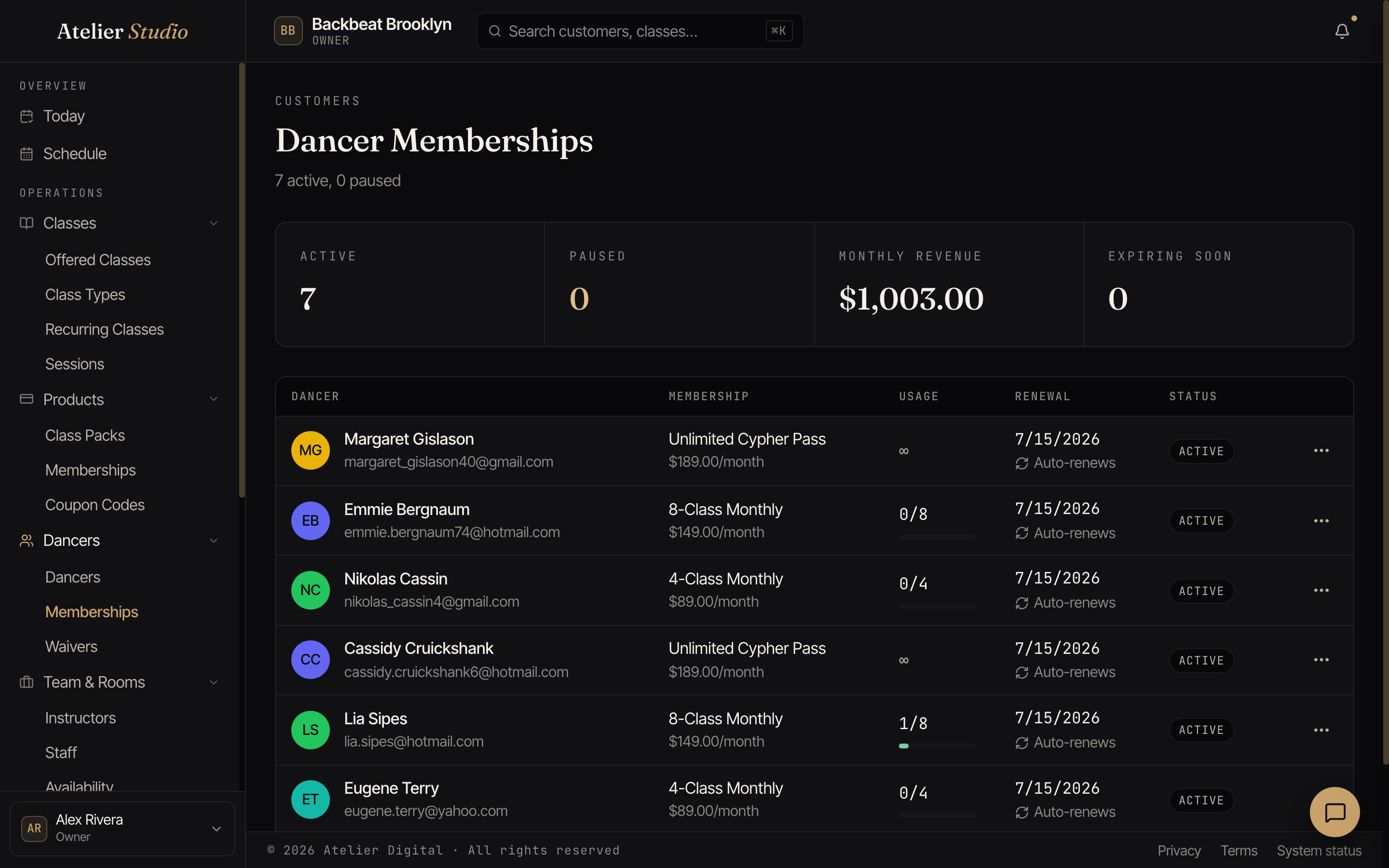
What you’ll see
Each entry shows the person, the plan or pass they hold, and its status: whether it’s auto-renewing, how much is left, or when it ends.
The price under each plan is what that person actually pays each period. If you’ve given someone a special rate, you’ll see their price with a small tag icon beside it. Hover over it (or tap it on a tablet or phone) to see the regular price, for example “Special price - regular $110.00”. Everyone else shows the plan’s regular price.
Making a change
To pause, resume, cancel, or turn auto-renew on or off for one person’s membership, or refund pack credits, open their profile: on the Overview tab each membership has a ⋯ menu with those actions. That’s also where you can set them up with a weekly auto-enrolled spot their membership covers.
Changed your mind about a pause or cancellation you scheduled for later? The membership shows a button to take it back: Cancel pause for a scheduled pause, or Undo cancel for a scheduled cancellation. You’ll be asked to confirm, and the membership carries on as before.
To change a class pack someone holds (classes left, unlimited, expiry, or remove it), see Editing a customer’s class pack.