
For studios · Classes
Recurring schedule
Set up a class that repeats once, and Atelier Studio fills in the calendar for you.
If you teach the same class every week, you don’t have to add it over and over. Set up a recurring class once and Atelier Studio creates the sessions on your calendar automatically.
Open Classes → Recurring Schedule.
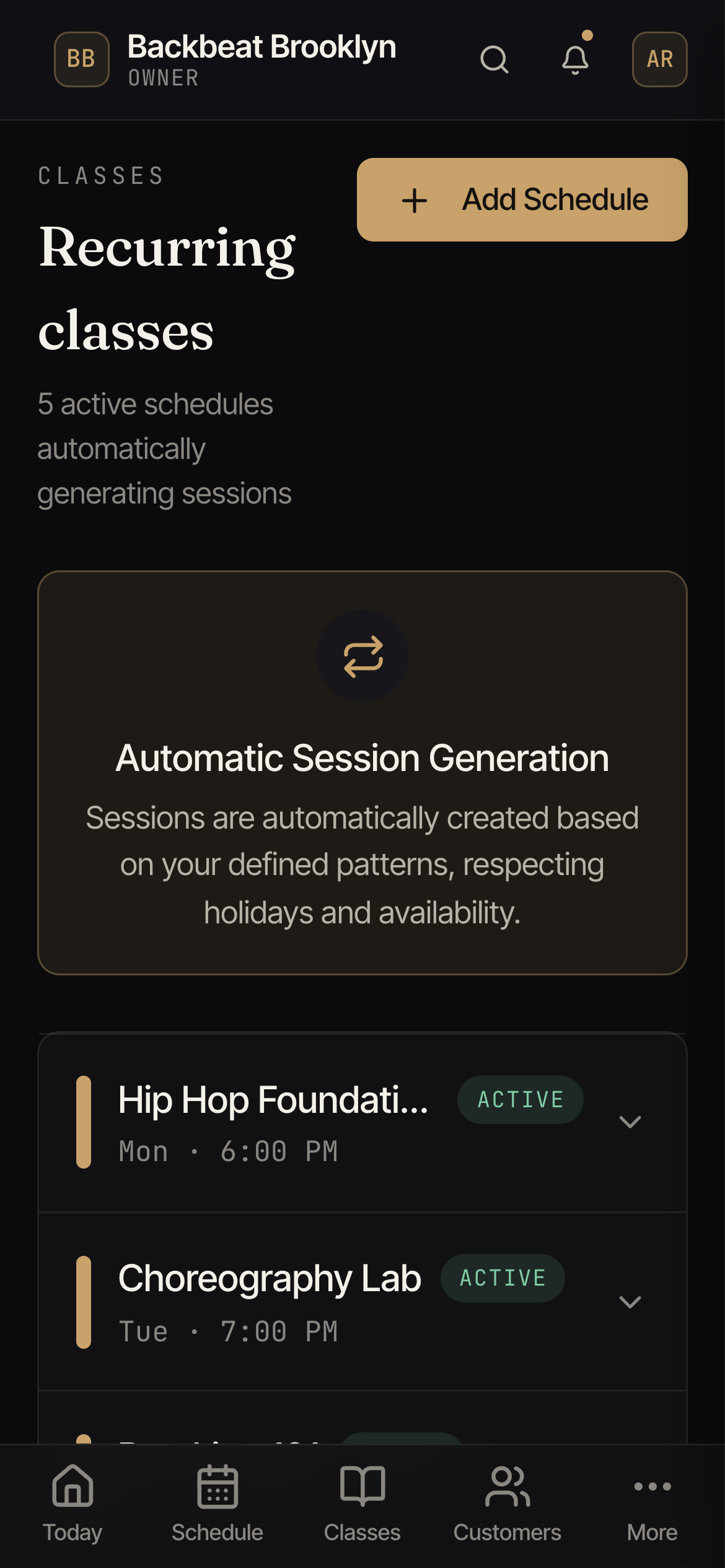
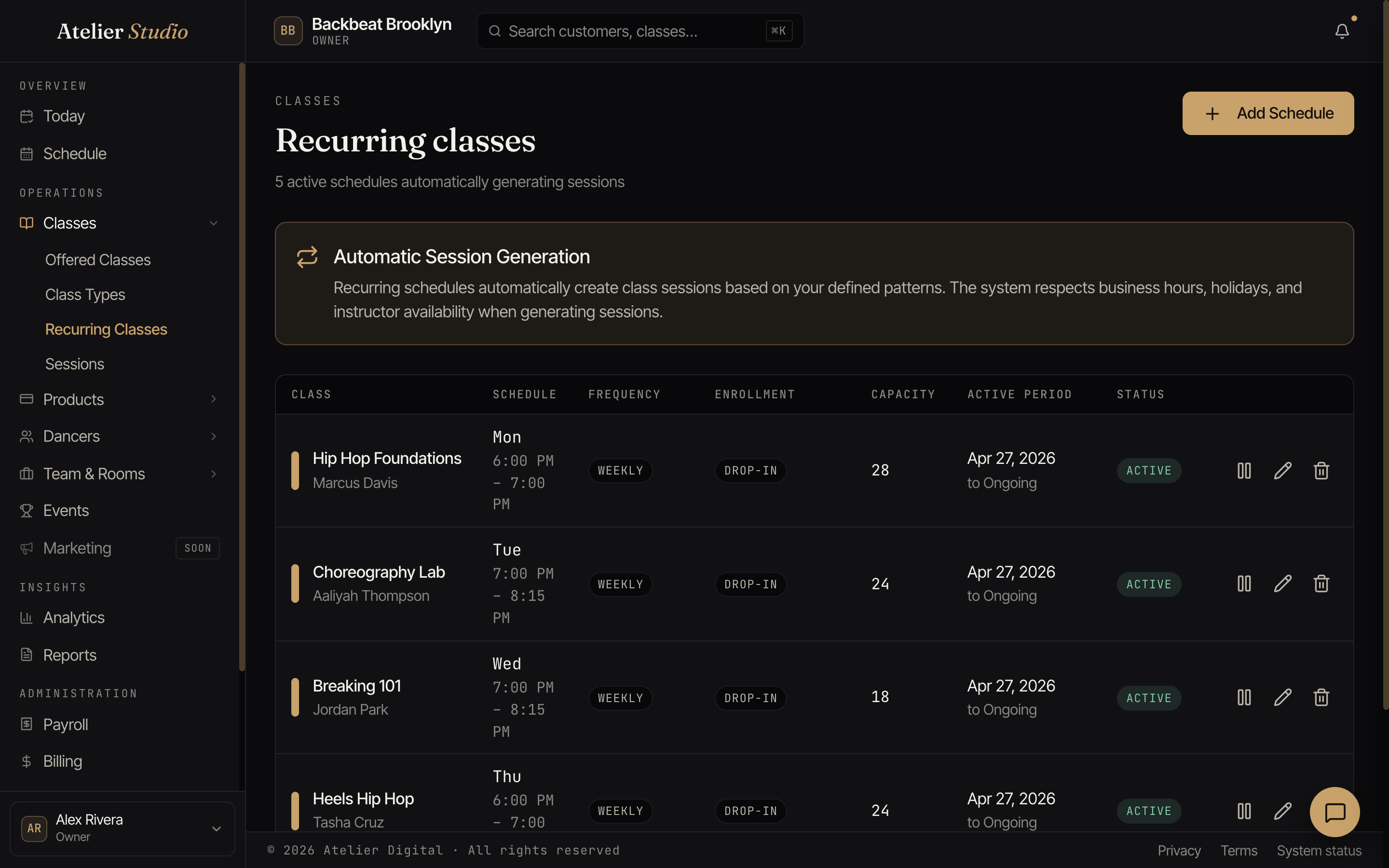
Setting up a repeat
Select Add Schedule and choose the class, the day and time, how often it repeats (for example, weekly), the capacity, and the period it should run for. Save it, and the matching classes appear on your schedule.
It works around your studio
When Atelier Studio generates the sessions, it respects your business hours, your closures and holidays, and your instructors’ availability, so it won’t put a class on a day you’re closed.
Let members come every week
If you run memberships, you can let members auto-enroll in a recurring class so they keep their weekly spot without re-booking and don’t lose it when their membership renews. Switch it on per schedule with Allow auto-enroll. See Auto-enrollment for the full picture.
Pausing a repeat
Taking a break for the summer, or an instructor is away for a few weeks? Select Pause on the schedule. Pausing does two things:
- No new sessions are generated until you resume.
- Every upcoming session becomes unavailable to book. A session that nobody has booked yet stays on your calendar, marked Hidden · Schedule paused, and disappears from your public booking page.
Before anything happens you’ll see exactly what pausing will do. If an upcoming session already has people signed up, it can’t simply be hidden. It’s cancelled, the same way as cancelling a single class: everyone booked (or waitlisted) is notified, and they’re refunded or credited under your studio cancellation policy. If any of them are enrolled in a series, you’ll choose how to compensate them for each cancelled session. The studio owner also gets an email listing the sessions that were cancelled.
Select Resume to bring the hidden sessions back. Atelier Studio asks you to confirm first. When you confirm, the upcoming sessions go back on your schedule and open for booking again. Sessions that were cancelled during the pause stay cancelled; add them again from the calendar if you need them.