
For studios · Marketing
Encore: automated seat-filling
Let Encore email your past customers to fill empty seats in classes that are almost here.
An empty seat in a class that’s about to start is money left on the table. Encore fills those seats for you, automatically. Every hour it looks for classes coming up in the next day that still have room, then emails the customers most likely to want them. You don’t lift a finger.
Encore is included on every plan.
Open Marketing → Encore.
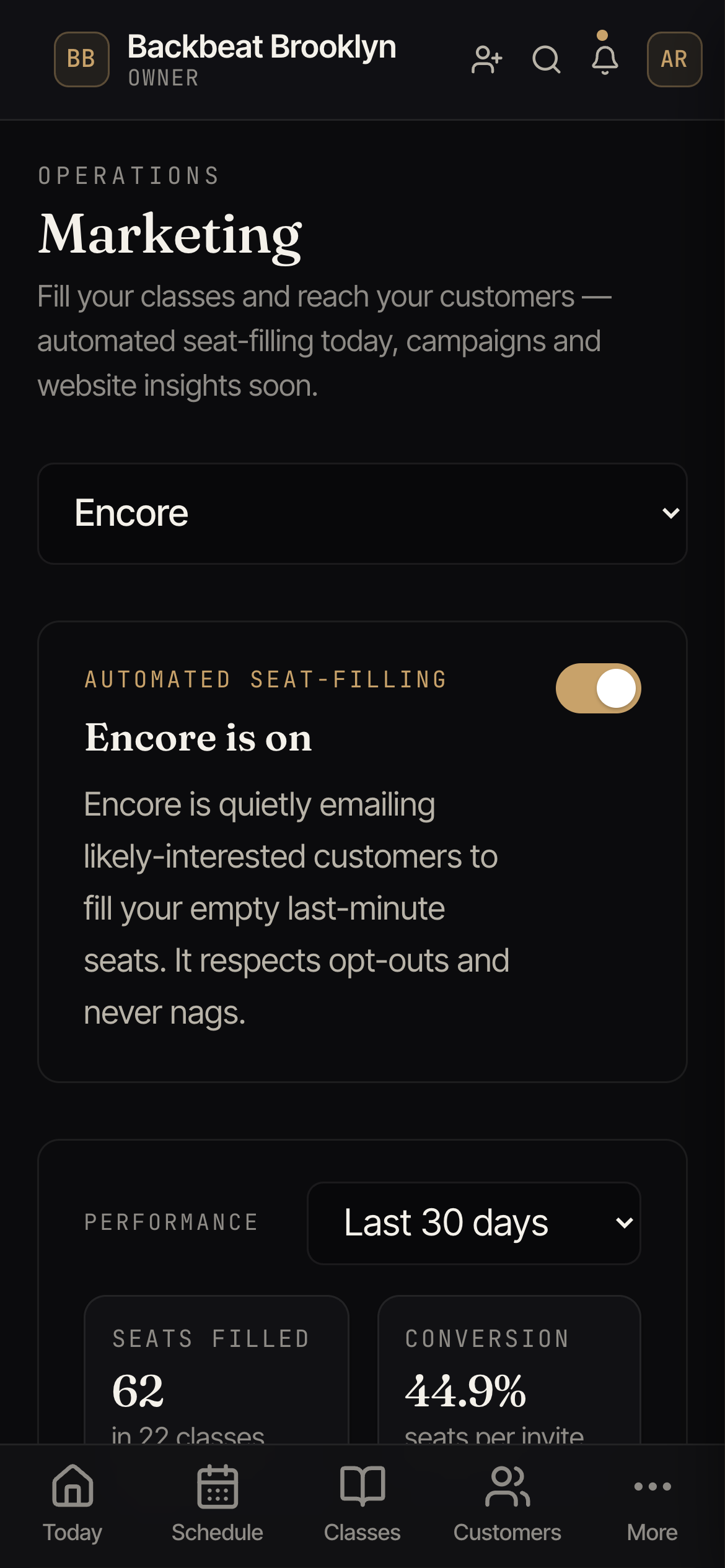
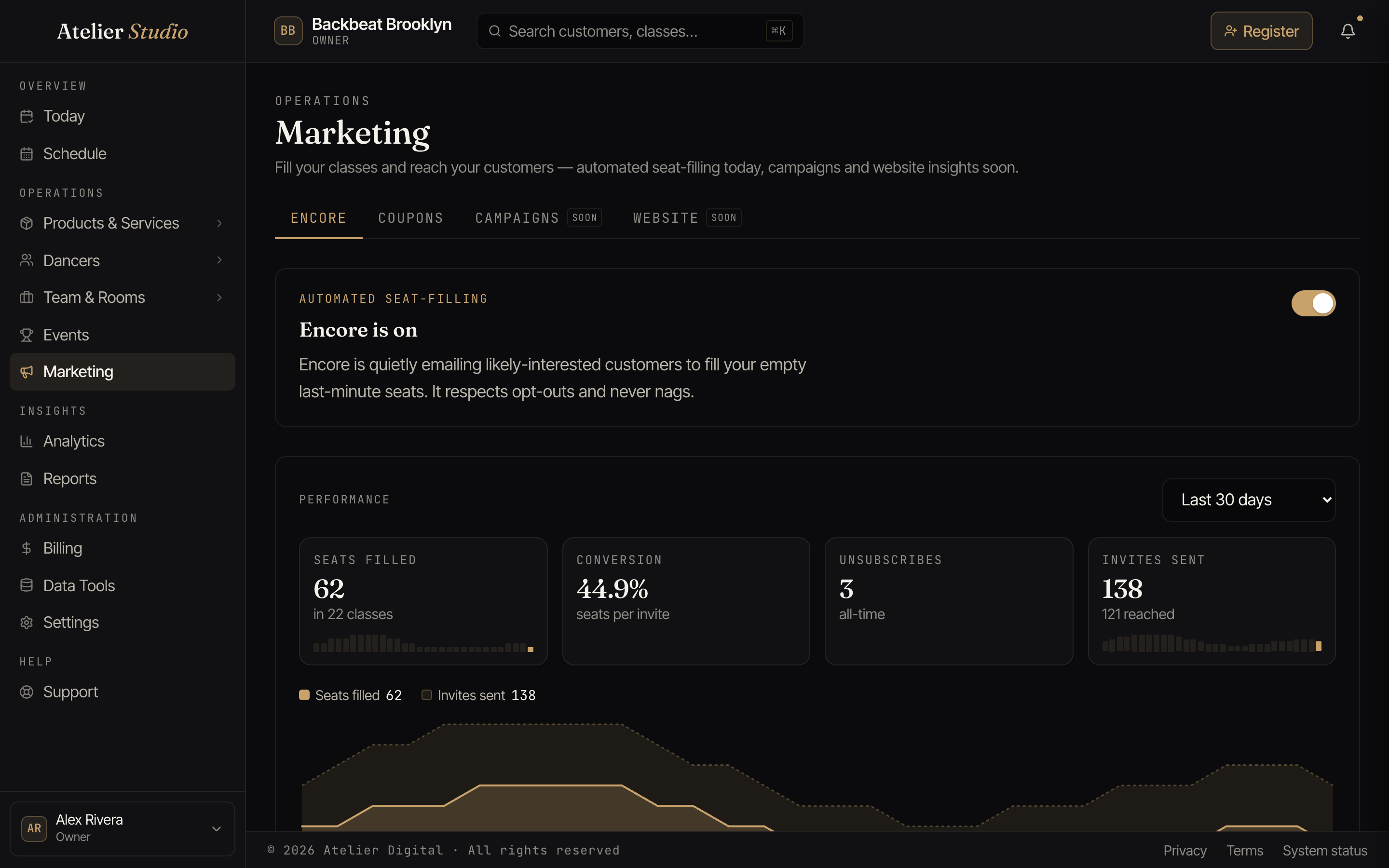
Turning it on
Flip the switch at the top of the tab. That’s the whole setup. Once it’s on, Encore starts watching your schedule and reaching out on its own. Turn it off any time and it stops immediately.
How it works
- It finds seats worth filling. Every hour, Encore looks for classes in the next 24 hours that still have open spots.
- It invites the right people. It emails past attendees of that kind of class, the people most likely to say yes. It never emails someone who’s already booked into another class at that time, at any studio, so nobody gets an invite they can’t use.
- One tap to book. The email links straight to the class, so a customer can grab the spot in a single click.
- It paces itself. Encore sends a handful of invites per class and only a modest batch per hour and per day, so your customers never feel spammed and your emails keep landing in inboxes rather than spam folders.
Encore is considerate on purpose: each customer gets at most one Encore email every few days; people who haven’t been in for a long while aren’t nudged about a last-minute seat (winning them back is a different conversation); anyone without a working email address is skipped; and anyone who’d rather not hear about open seats can opt out from the email or from their account, and Encore always respects that.
Leaving classes out
Some classes aren’t meant to be topped up. Nobody wants an email nudging them to “come fill a seat” in open gym or a practice session, and a private group or a nearly-finished term shouldn’t be advertised either. You can leave classes out at two levels:
- A whole class type. On Classes → Class Types & Levels, edit the type and switch off Eligible for Encore seat-filling. Every class of that type is left alone, which makes it the natural choice for open gym, practice time, or drop-in-anytime sessions.
- One class. On the class’s own settings, set Encore seat-filling to Exempt. It also works the other way: a class can be set to Eligible even when its type is switched off. Leave it on Inherit to follow the type.
Every other class stays eligible.
Seeing how it’s doing
The Performance panel on the Encore tab is your scoreboard. Pick a recent window (last 30 days, this month, or last 90 days), and it shows how Encore did over that stretch.
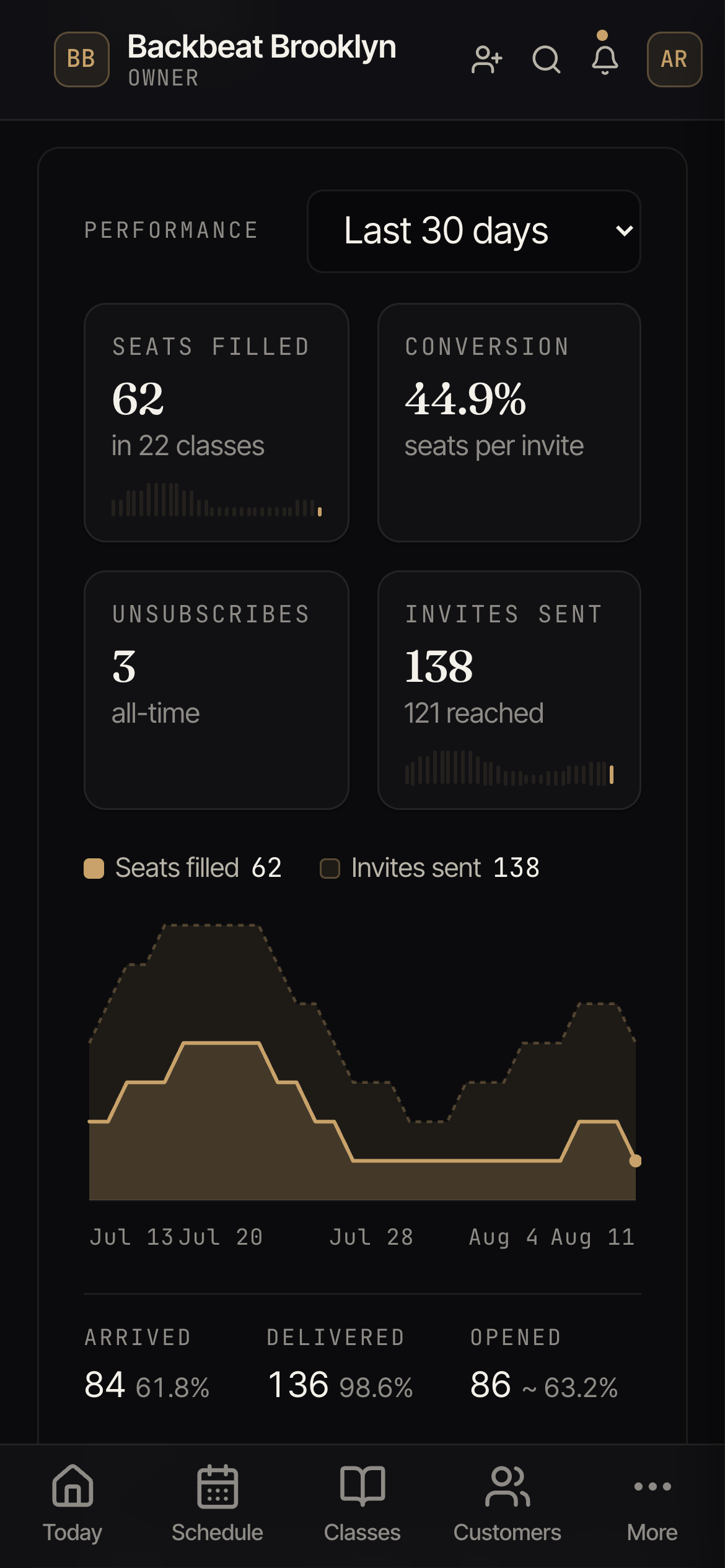
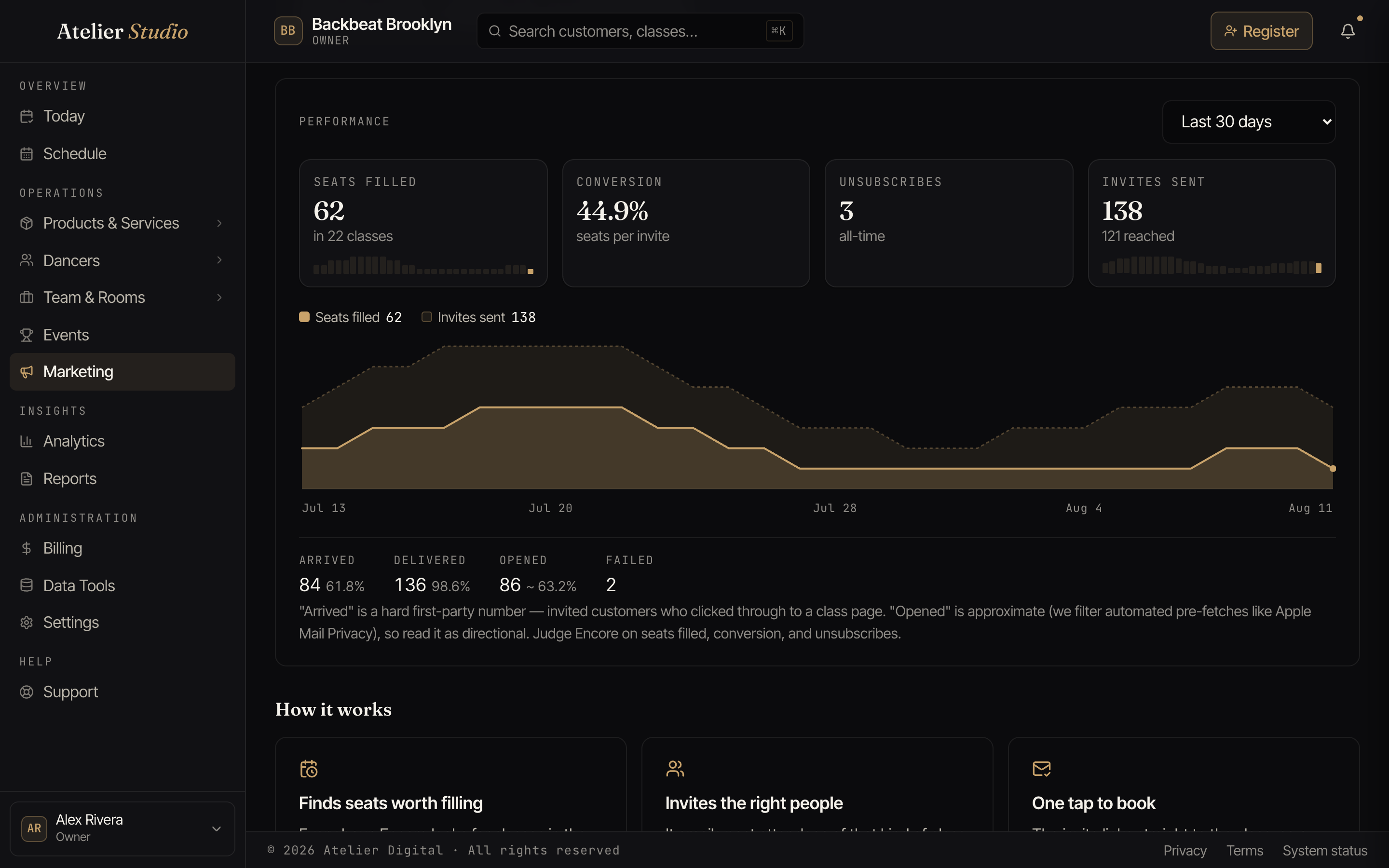
Four headline numbers sit across the top:
- Seats filled: the seats Encore booked for you, and how many classes it helped fill.
- Conversion: how many seats you got for each invite it sent.
- Unsubscribes: how many people have opted out (Encore works to keep this low).
- Invites sent: how many invitations went out, and how many customers they reached.
Below them, a trend graph plots the same window day by day. The pale band is invites sent; the solid gold shape nested inside it is the seats those invites filled, so the space between the two is the room Encore still has to grow. Hover over any day to see its exact numbers.
Underneath, a short row of delivery figures (arrived, delivered, opened, and failed) tells you how reliably the emails are landing, so a quiet week is easy to tell apart from a delivery problem.
Why we held back
When Encore considered someone for a seat but decided not to email them, the Why we held back list shows the reasons and how often each came up. It’s the answer to “why didn’t so-and-so get an invite?” It’s also a sign that Encore is being choosy rather than blasting your whole list. The reasons you’ll see most:
- Already booked, Schedule conflict, or Term enrolled: they’re already coming, or busy at that time (at any studio).
- Recently attended or Satisfied too recent: they were just in; a nudge now would be noise.
- Deep lapsed: they haven’t been in for a long while, so a last-minute seat isn’t the right first message.
- Low score: not a strong enough match for this particular class this time.
- Frequency cap, Email cap reached, Oversubscribe quota, or Send cap reached: Encore is pacing itself (one email per customer every few days, a few classes per email, a handful of invites per seat, and a modest batch per hour and per day).
- Uncategorized: the class type is filed under “Other,” which Encore never targets; give the type a real category on Classes → Class Types & Levels if it should be.
- No deliverable email: the customer has no working email address on file.
- Opted out: they’ve asked not to receive seat-filling emails.